 PDF Bridge
- PDF Bridge
- Tools
- PDF to Excel
PDF to Excel, with numbers that stay numbers
Turn the tables in any PDF into an Excel spreadsheet you can sort, filter and add up. Invoices, reports, price lists and statements come out in clean rows and columns, ready to use.
- Free to try
- No account needed
- Files deleted after converting
Why use PDF Bridge to convert PDF to Excel
A PDF table looks tidy until you try to use the numbers. Copy and paste brings the columns across as one long line, and many converters give you cells full of text that won't add up.
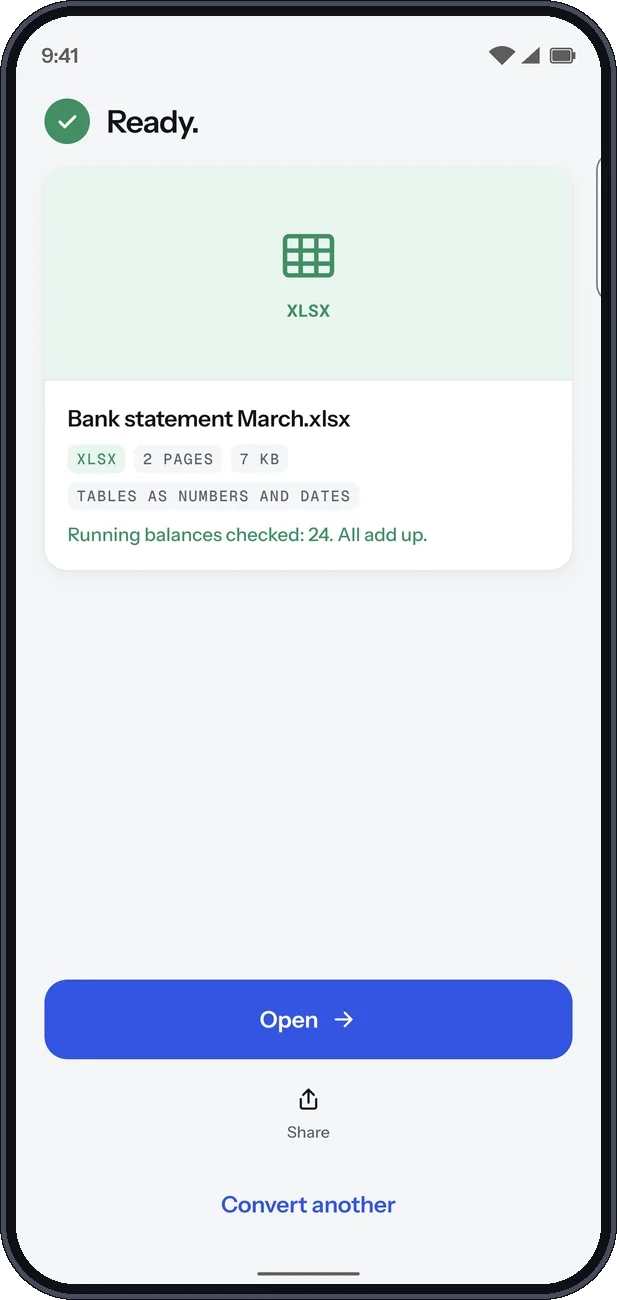
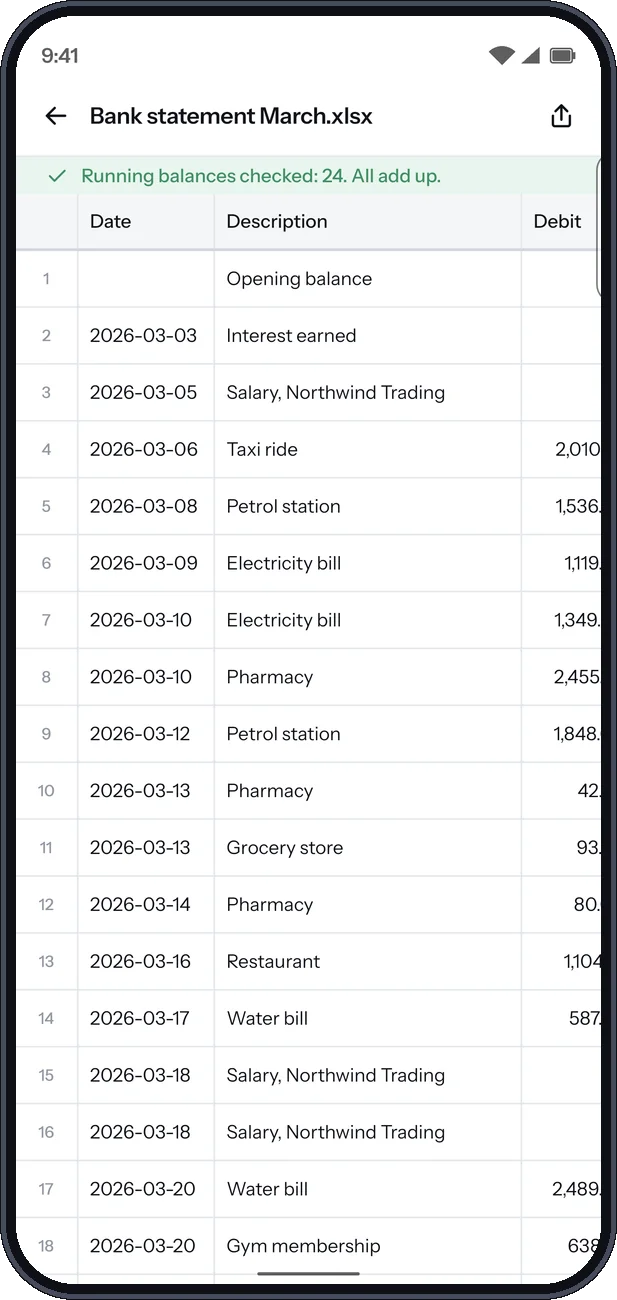
PDF Bridge finds the tables on each page and rebuilds them as a real spreadsheet. Numbers, currencies and dates are stored as values, merged headings stay readable, and every table keeps its own rows and columns. Open the result in the app, or share the .xlsx file to Excel, Google Sheets or Numbers.
How to convert PDF to Excel on your phone
Choose the PDF
Open it from your files, email or chats, or share it to PDF Bridge from another app.
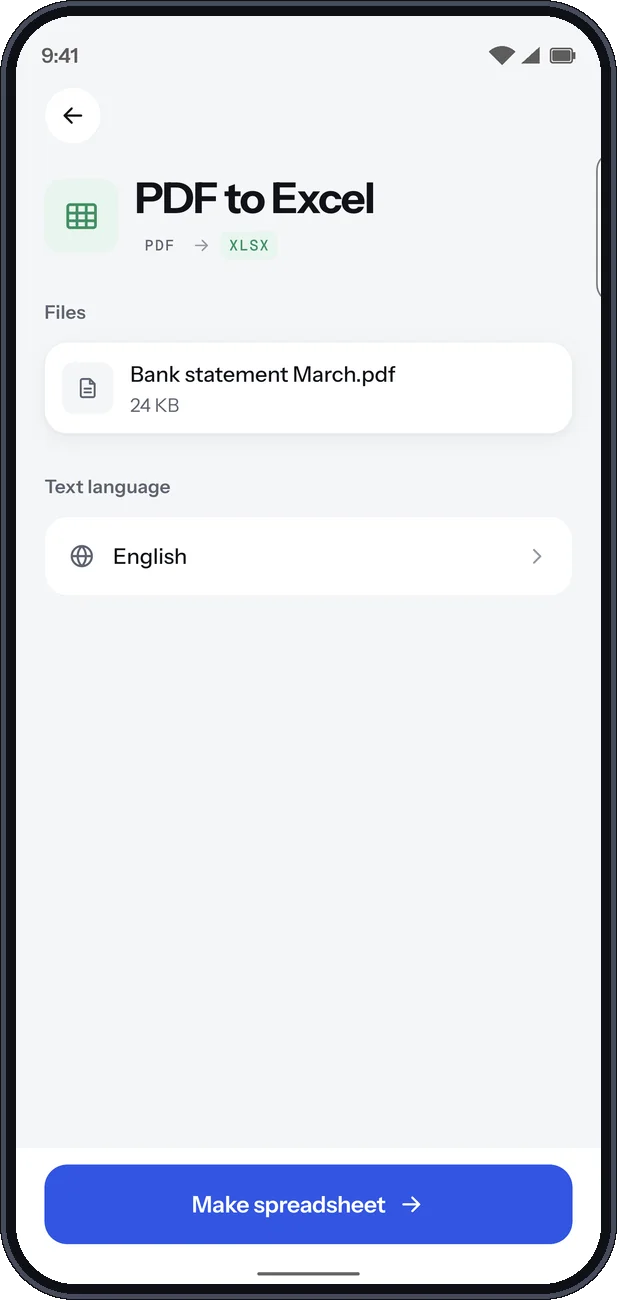
Tap PDF to Excel
For scanned pages, pick the language of the text so it is read correctly.
Use the spreadsheet
View it in the app, or share the .xlsx to Excel, Google Sheets, email or WhatsApp.
Made for real documents
Tables, not text dumps
Rows and columns are rebuilt as they appear on the page, one table at a time.
Values you can calculate with
Amounts, percentages and dates are stored as numbers and dates, so formulas just work.
Scanned PDFs
Tables in scanned pages are read with OCR in 34 languages.
Statement checks
Bank and card statements also get every running balance checked.
Fix it on your phone
With Pro, correct a cell or add and remove rows right in the app.
Share anywhere
Save the .xlsx on your phone or send it straight from the app.
PDF to Excel in PDF Bridge
Handy for
- Invoices and receipts
- Price lists and catalogues
- Financial reports
- Bank and card statements
- Timetables and schedules
- Inventory and stock lists
PDF to Excel: frequently asked questions
Will the formatting of my table be kept?
The structure is kept: rows, columns, headings and the order of the tables. The spreadsheet is built to be used, so values are clean numbers and dates rather than copies of the PDF's fonts and colours.
Can it convert a scanned PDF to Excel?
Yes. Scanned pages are read with OCR in 34 languages, including English, Arabic, Urdu, Hindi, Chinese and Spanish, then laid out as a table.
What file do I get?
An .xlsx file that opens in Microsoft Excel, Google Sheets, Apple Numbers and other spreadsheet apps. It is saved on your phone.
Is there a page limit?
Free files can be up to 10 MB and Pro files up to 50 MB. A single PDF can have up to 200 pages.
Is it free?
Yes, for 2 files every week. Pro gives unlimited conversions, larger files and editing of cells and rows in the app.
Works well with
Try PDF to Excel free
2 free files every week, no account needed. Your files are deleted after converting and saved only on your phone.