 PDF Bridge
- PDF Bridge
- Tools
- Compress PDF
Compress PDF to 100 KB, 200 KB or any size
Make a PDF small enough to email or upload. Choose a balanced size, the smallest possible file, or an exact limit like 100 KB for an online form, and keep the text sharp.
- Free to try
- No account needed
- Files deleted after converting
Why use PDF Bridge to compress a PDF to 100 KB
Government portals, job sites and university applications often refuse any PDF over 100 KB or 200 KB, and a scanned page from a phone can easily be 2 MB.
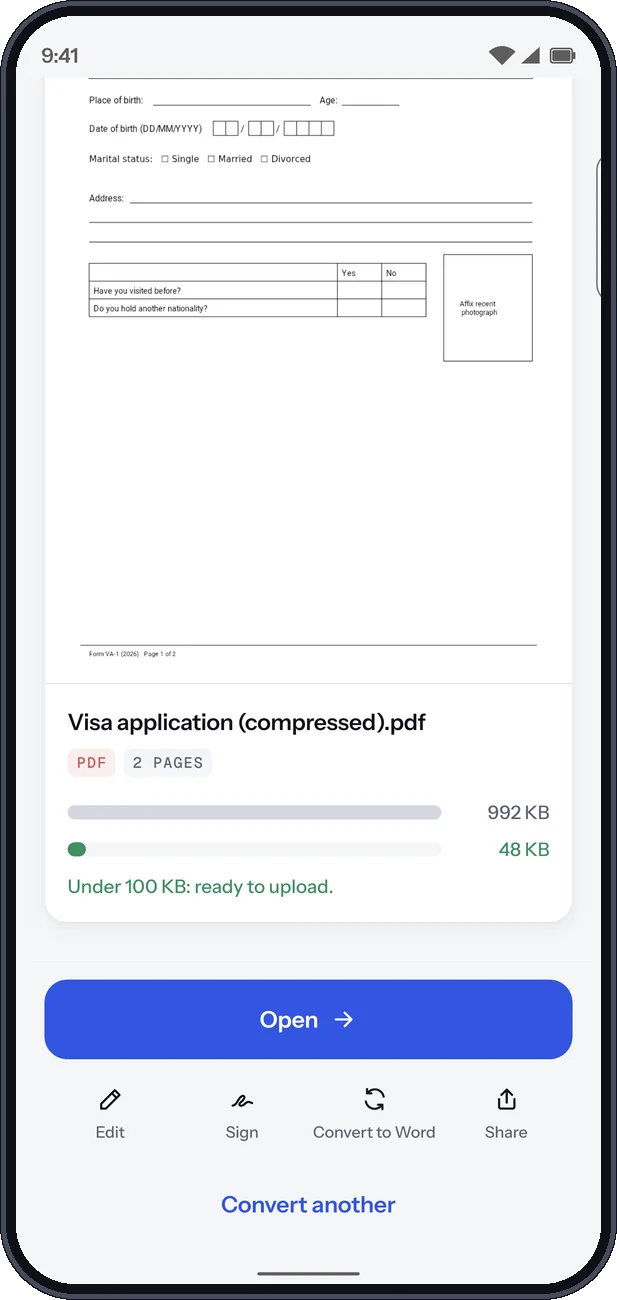
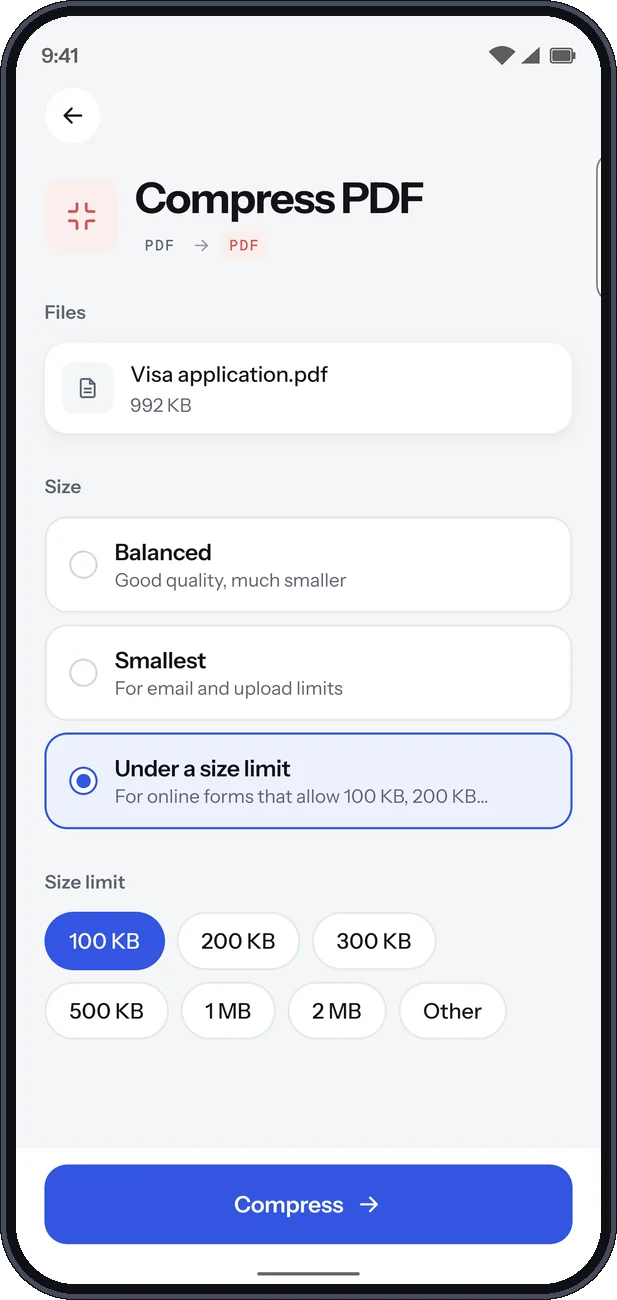
PDF Bridge shrinks pictures only as much as needed. Pick Balanced for everyday emailing, Smallest for the lowest size, or Size limit and type the number the form asks for: the app finds the best quality that fits under it, and tells you if a file can't get that small.
How to compress a PDF to 100 KB on your phone
Open the PDF
Choose it from your files, or compress a scan you just made.
Pick the size
Balanced, Smallest, or a size limit such as 100 KB, 200 KB or 500 KB.
Upload it
See the before and after size, then share, save or upload the smaller PDF.
Made for real documents
Exact size limits
Type the limit the form asks for and get the best quality under it.
Text stays sharp
Pictures are reduced first, so the words stay readable.
Honest results
If a file can't reach your limit, the app says so and shows the smallest it can be.
Every page kept
Pages, order and text are kept; nothing is cut out.
Free up to 25 MB
Free users can compress files up to 25 MB, Pro up to 50 MB.
Scan, then shrink
Scan a document and compress it for upload in one go.
Compress PDF in PDF Bridge
Handy for
- Online application forms
- Job portals
- University admissions
- Email attachments
- Government services
- Visa uploads
Compress PDF: frequently asked questions
How do I compress a PDF to 100 KB?
Open the PDF, choose Compress PDF, pick Size limit and choose 100 KB (or type another size). The app makes the best-quality file that fits under it. Size limits are part of Pro.
Will compressing make my PDF blurry?
Pictures are reduced only as much as needed to reach the size, and text is kept sharp. Very large scans squeezed to a tiny limit may be saved in black and white so the text stays clear; the app tells you when it does.
What if my PDF can't get small enough?
The app tells you, and shows the smallest size it could reach, so you can split the file or remove pages.
Is compressing free?
Balanced compression is free for files up to 25 MB, as one of your 2 free files a week. The Smallest setting and exact size limits are part of Pro.
Can I also merge or split PDFs?
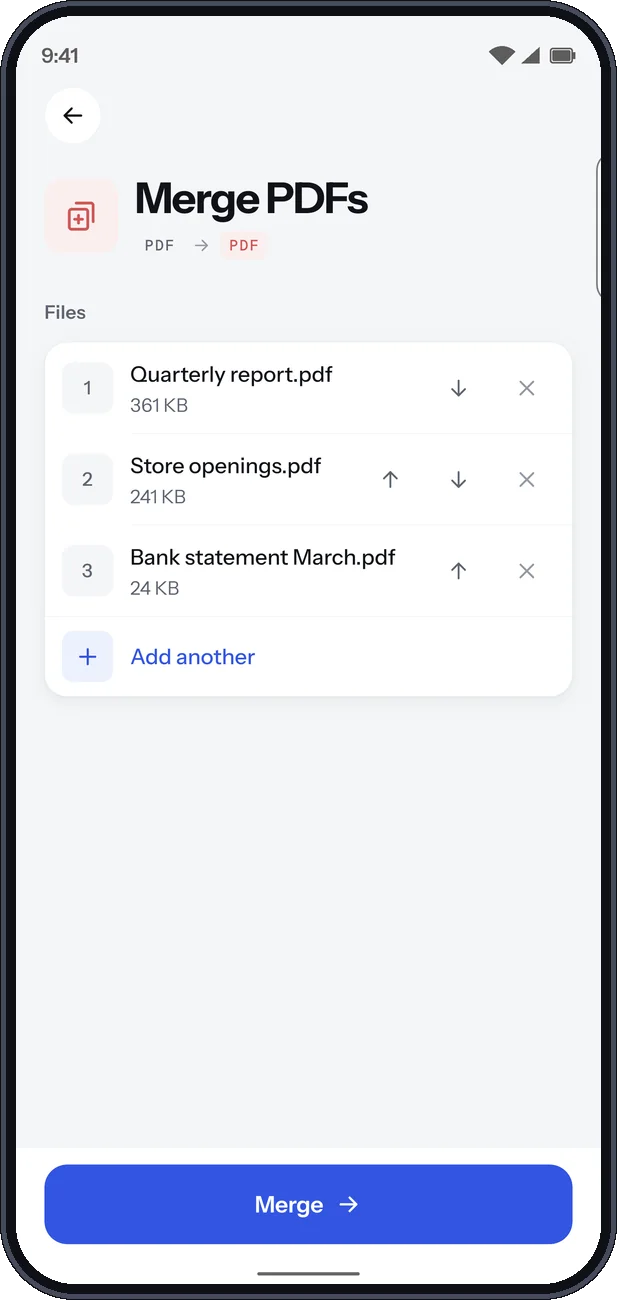
Yes. Merge PDFs joins files in the order you choose, and Split PDF takes out the pages you need or cuts a PDF into separate files.
Works well with
Try Compress PDF free
2 free files every week, no account needed. Your files are deleted after converting and saved only on your phone.